Hearts Watercolor Backgrounds: A Designer's Guide to Soft Romance
There's something undeniably powerful about a design that feels both personal and polished. In a digital landscape saturated with sharp vectors and flawless gradients, the organic, human touch of watercolor has made a significant resurgence. When you combine that tactile, artistic quality with a universal symbol of affection, you get a design asset that is incredibly versatile. The Hearts Watercolor Backgrounds collection is exactly that—a set of high-resolution JPG files designed to inject warmth, emotion, and a touch of handmade artistry into your projects.
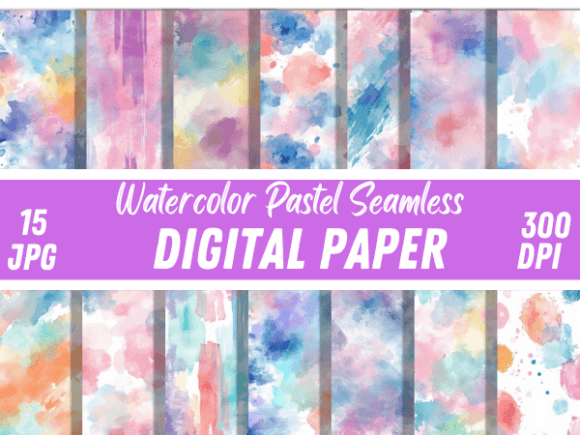
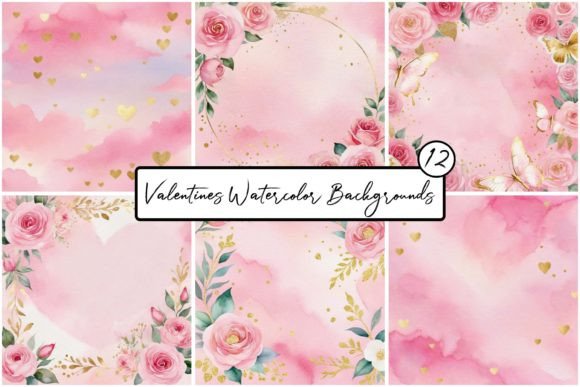
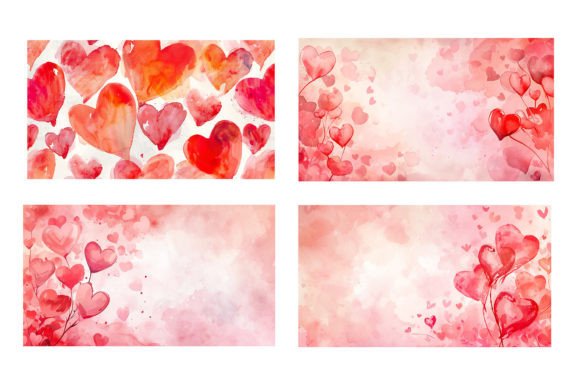
This isn't just another set of generic red hearts. The visual personality of these backgrounds lies in their delicate fluidity. You will notice the pigment bleeding softly at the edges, the variations in opacity that mimic real watercolor paper, and the subtle color gradients that give each heart depth and character. At 6000 x 3363px and 300dpi, these images offer the kind of resolution that print designers crave. Whether you are working on a large-format banner or a high-definition digital display, the 22Mb file size ensures that the texture remains crisp and the color integrity holds up. It is a premium asset that bridges the gap between traditional illustration and modern graphic design.
Strategic Applications for Modern Creators
Understanding where to deploy these backgrounds is key to maximizing their value. For the entrepreneur or small business owner, these assets are a goldmine for seasonal marketing. Think beyond the obvious Valentine’s Day sale. These watercolor textures work beautifully for anniversaries, bridal boutiques, jewelry brands, or even wellness and self-care campaigns where "heart-centered" messaging is key. The soft aesthetic helps in building a brand identity that feels approachable and trustworthy rather than corporate and cold.
For the content creator or blogger, the Hearts Watercolor Backgrounds solve the perpetual problem of "visual noise." You need a background that is interesting enough to catch the eye on a Pinterest feed but not so busy that it distracts from your overlay text. These backgrounds excel here. Their semi-translucent nature allows them to function almost like a texture overlay. Here are a few practical ways to integrate them:
- Social Media Graphics: Use the backgrounds for Instagram stories or quote cards. The soft wash of color frames the text without competing with it, improving readability and visual hierarchy.
- Web Design Elements: While a full-bleed watercolor might be heavy for a website hero image, using these assets for section dividers, footer backgrounds, or "About Us" page headers adds a layer of sophistication to your web design.
- Editorial and Publishing: If you are designing a digital magazine or a printable planner, these backgrounds serve as excellent chapter dividers or page accents. They provide a resting point for the reader’s eye.
- Packaging Design: For artisanal products—soaps, chocolates, stationery—printing these backgrounds onto box inserts or wrapping paper elevates the unboxing experience instantly.
Mastering Font Pairings and Typography
A background is only as good as the typography placed on top of it. This is where many designers stumble, but the organic nature of the Hearts Watercolor Backgrounds actually makes font pairing easier if you understand the contrast principle. Because the background is fluid, soft, and artistic, your typography needs to be grounded and legible to create a balanced composition.
Avoid using script fonts or handwritten fonts that are too chaotic or thin. While it might seem thematic to use a swirl font over a watercolor heart, it often results in a visual mess where the text becomes unreadable. Instead, look for a modern serif font or a clean sans serif font. The geometric precision of a sans serif creates a striking contrast against the organic watercolor bleed. For example, a bold, wide-tracked sans serif header in white or charcoal can anchor the design, making the watercolor feel like an artistic accent rather than a distraction.
If you are set on using a display font or a script font, ensure it has solid, thick strokes. A bold, modern calligraphy style can work well if you place a semi-transparent shape behind the text to separate it from the watercolor texture. This ensures that your message isn't lost in the pigment. The goal is professionalism; your audience should be able to read your offer or message instantly, regardless of how beautiful the background is.
Technical Evaluation and Project Fit
Before incorporating any design assets into your workflow, a quick technical evaluation is necessary. The Hearts Watercolor Backgrounds come as JPGs, which is the universal standard for photography and raster images. However, because they are high-resolution files (6000px wide), you need to ensure your hardware can handle the file size without lag, especially if you are layering multiple assets in Photoshop or Illustrator.
When evaluating the fit for your specific project, consider the color palette. While these are likely traditional red or pink hearts, watercolor is unique because of its transparency. When printed on colored paper or layered over other digital colors, the hues will shift. Test this early in your design process. Place the background over your brand’s primary color palette to see if the tones harmonize or clash. Often, these soft pastels act as neutrals, blending well with gold foils, deep navy, or crisp whites.
Finally, regarding licensing: since these are commercial fonts and assets (or assets intended for commercial use), always double-check the terms. For the designer working with clients, this is crucial. You want to ensure that the final product—whether it is a logo design, a flyer, or merchandise—clearly allows for the commercial distribution of the artwork. By treating these backgrounds as high-end creative fonts and assets—respecting the resolution and using them in appropriate contexts—you ensure that your work stands out with a distinct, artistic flair that stock photography simply cannot match.